AI photo calories New
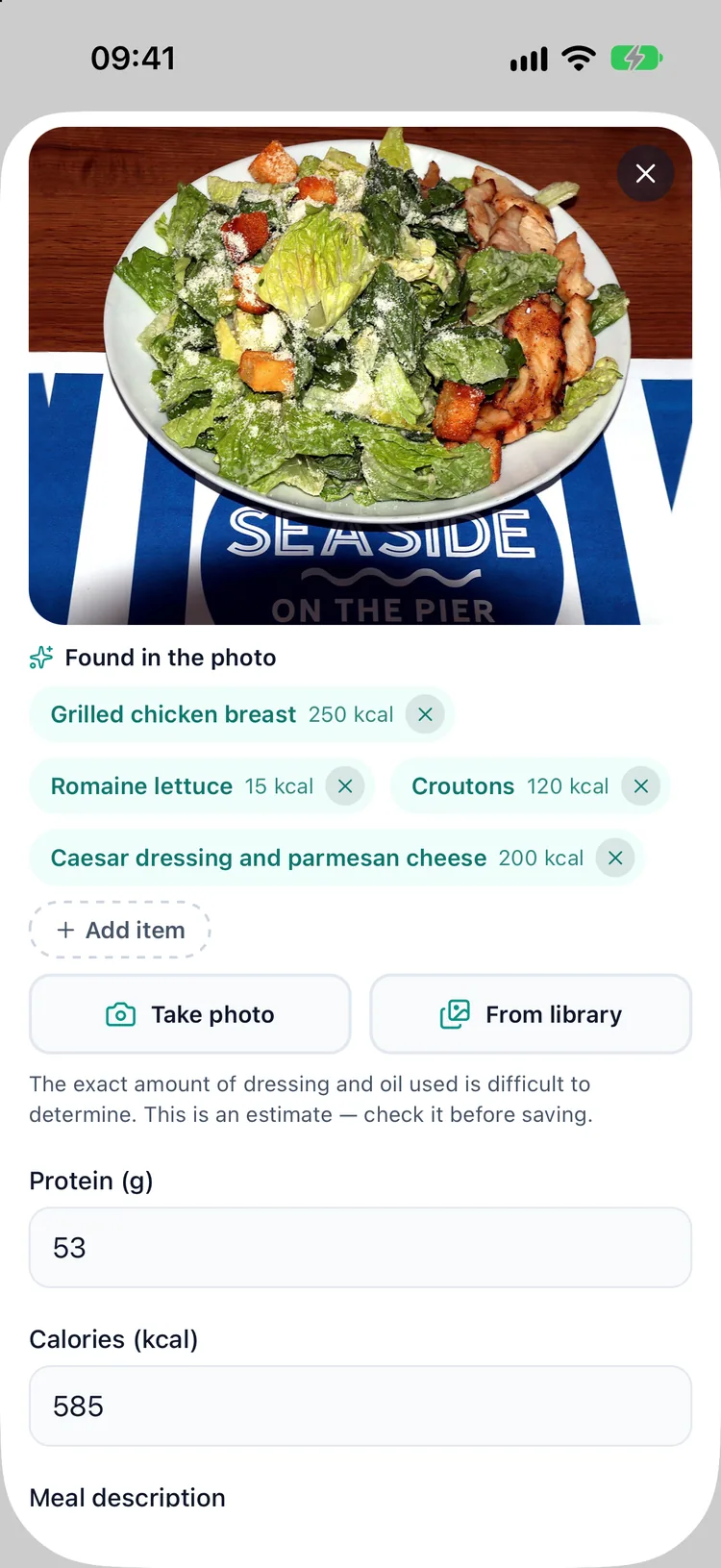
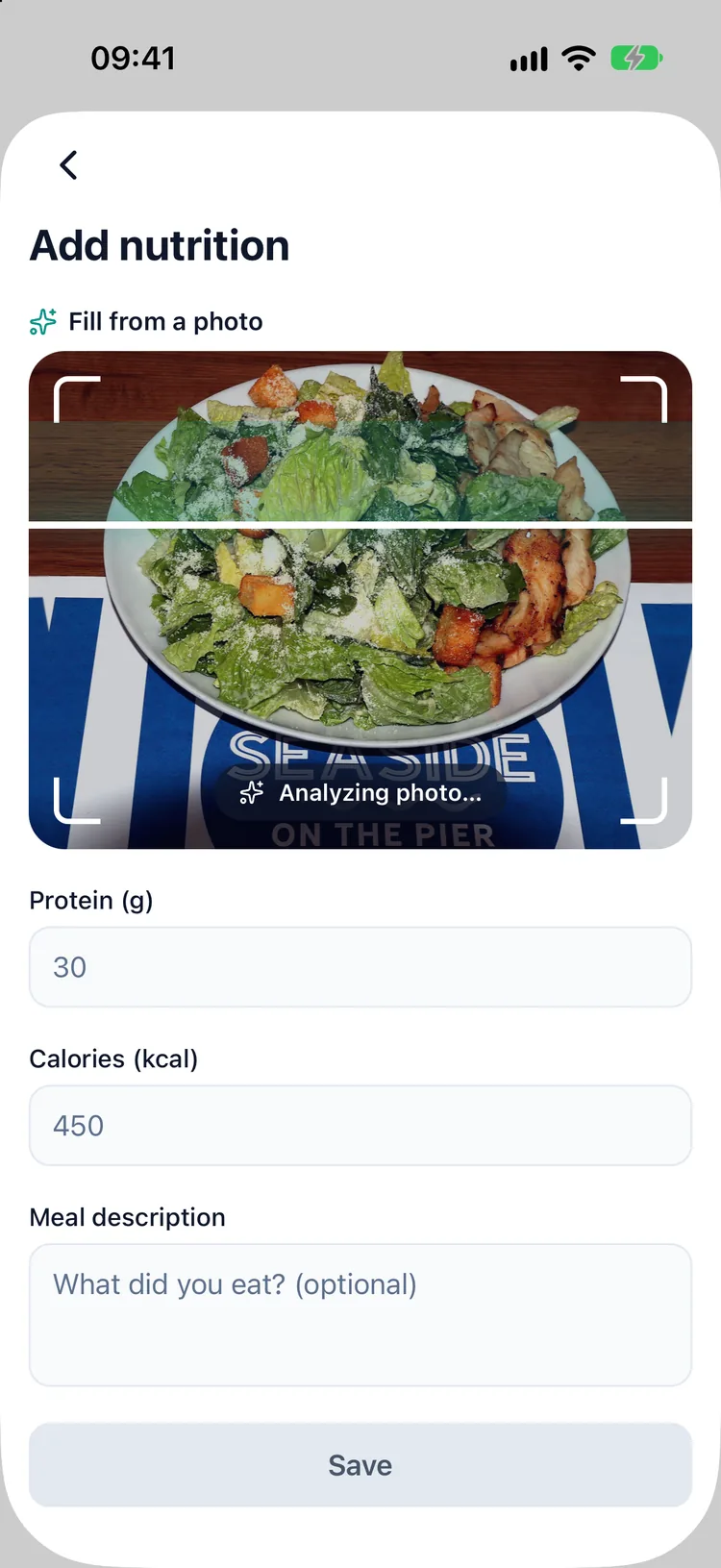
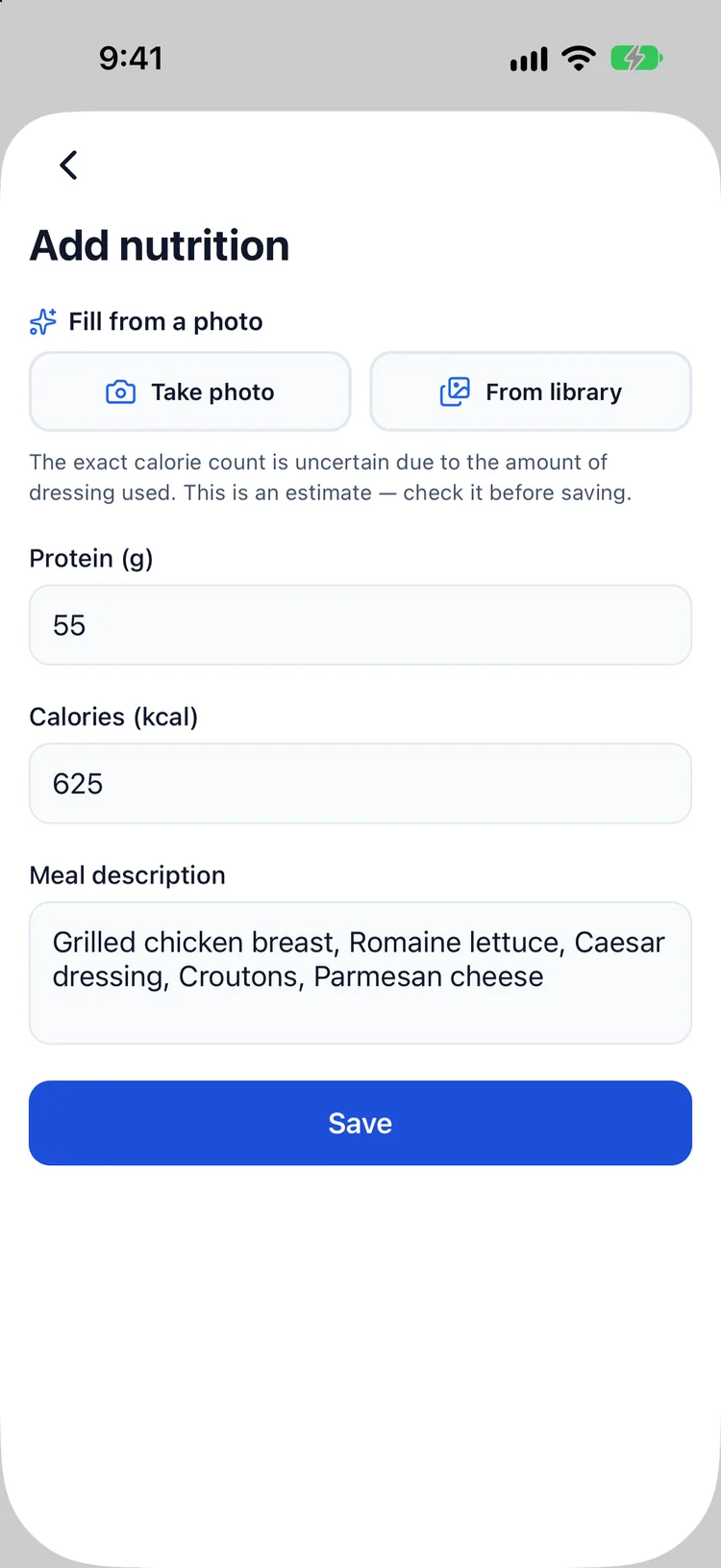
Snap your meal and get calorie and protein estimates in seconds, in your language. Always shown as an editable draft — you stay in charge. First photo free, then Premium. How AI calories work
 For Ozempic® · Wegovy® pen & pill · Mounjaro® · Zepbound®
Log every shot or daily pill, snap a meal and get calories and protein in seconds, and watch your weight next to an estimated curve of your medication. Make it yours with a mascot and a colour theme. Dose logging and reminders are free, forever. Already tracking somewhere else? Bring your history with you.
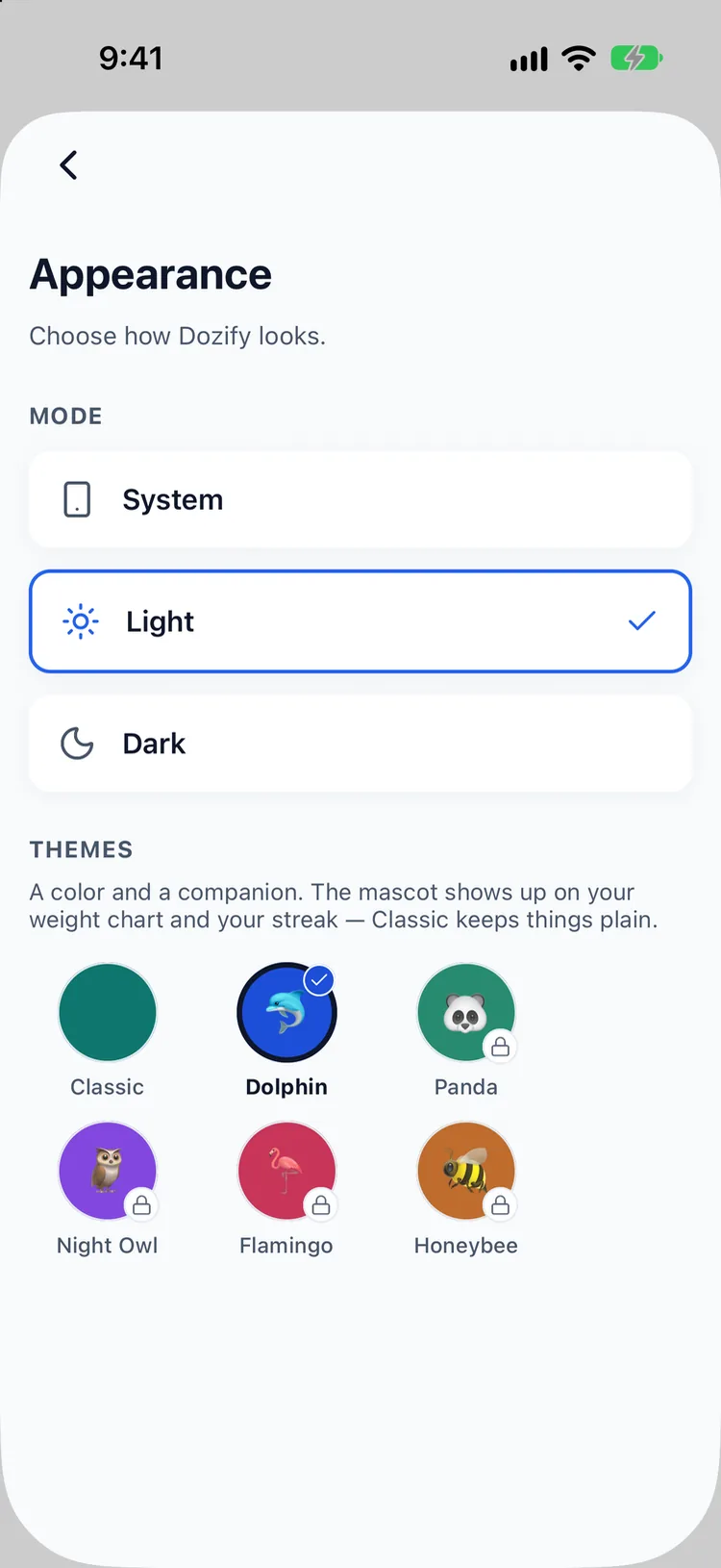
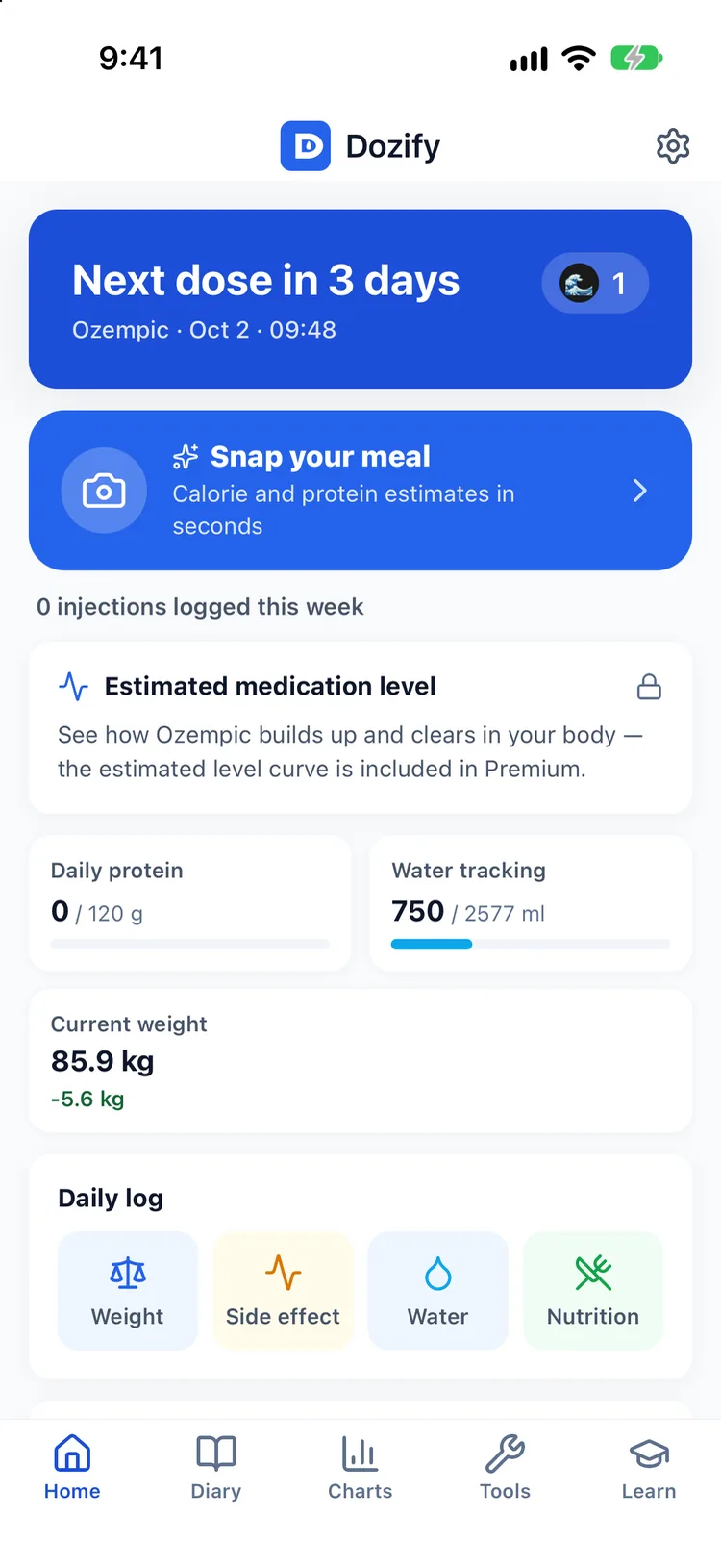
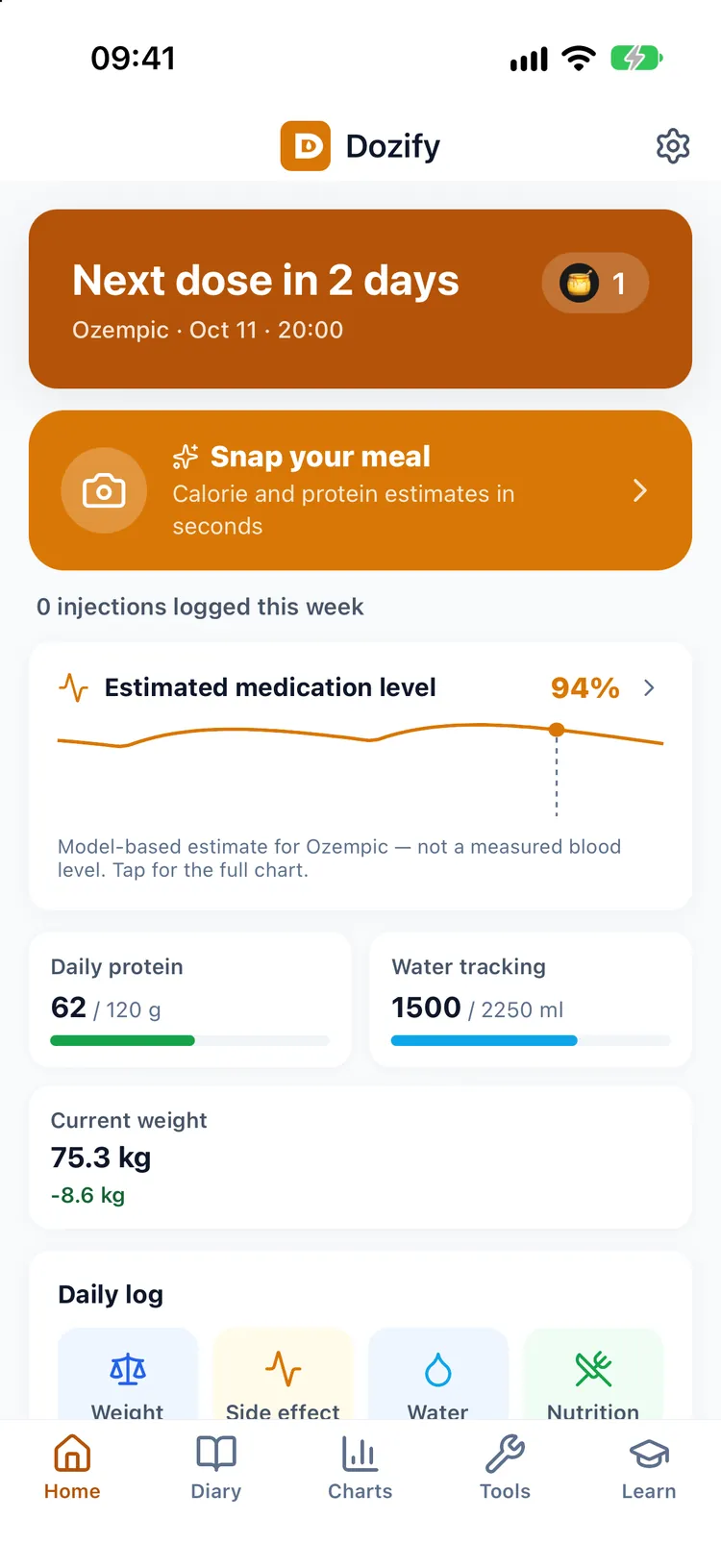
Six themes, each a colour and a companion: Classic, Dolphin, Panda, Night Owl, Flamingo and Honeybee. The colour runs through every screen, the mascot shows up on your weight chart and your streak, and the app icon on your home screen changes with it. Classic keeps things plain.
Dolphin is free. Panda, Night Owl, Flamingo and Honeybee come with Premium. Light, dark or follow the system — your choice.
On a GLP-1 you eat less, so what you do eat matters more. Take a photo and Dozify lists each item on the plate with an estimate of its calories and protein, in your language. It is always an editable draft: fix a portion, add what the camera missed, then save it next to your doses and weight. Your first photo is free; after that it is Premium, with a 14-day free trial.
Three steps. No setup headache.
Pick a weekly or daily injection — Ozempic®, Wegovy®, Mounjaro®, Zepbound®, Trulicity®, Saxenda®, Victoza® — or a daily tablet: Wegovy® pill, Ozempic® tablet, Rybelsus® or Foundayo™. Set your dose and schedule.
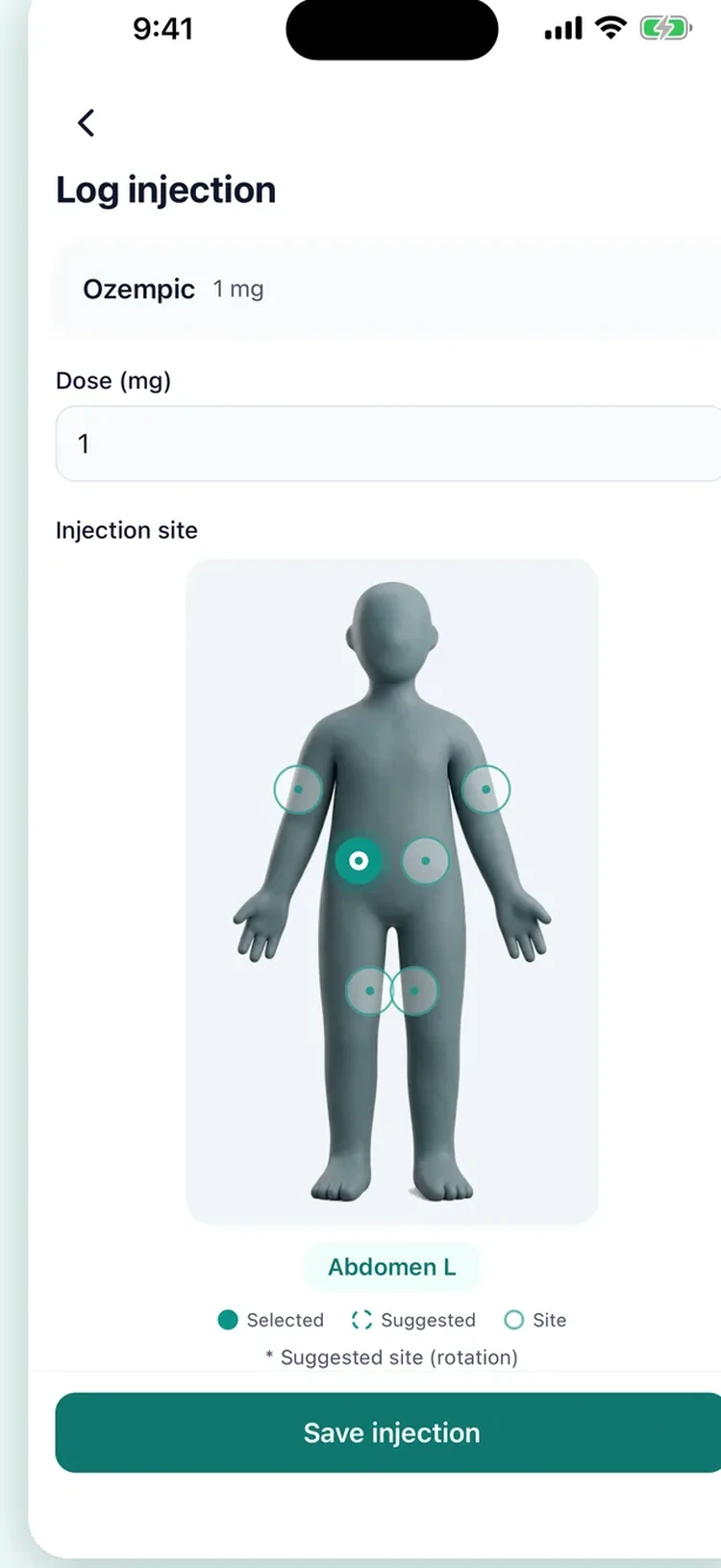
Tap to record the dose, time, and injection site on a body diagram. Smart rotation suggests your next site.
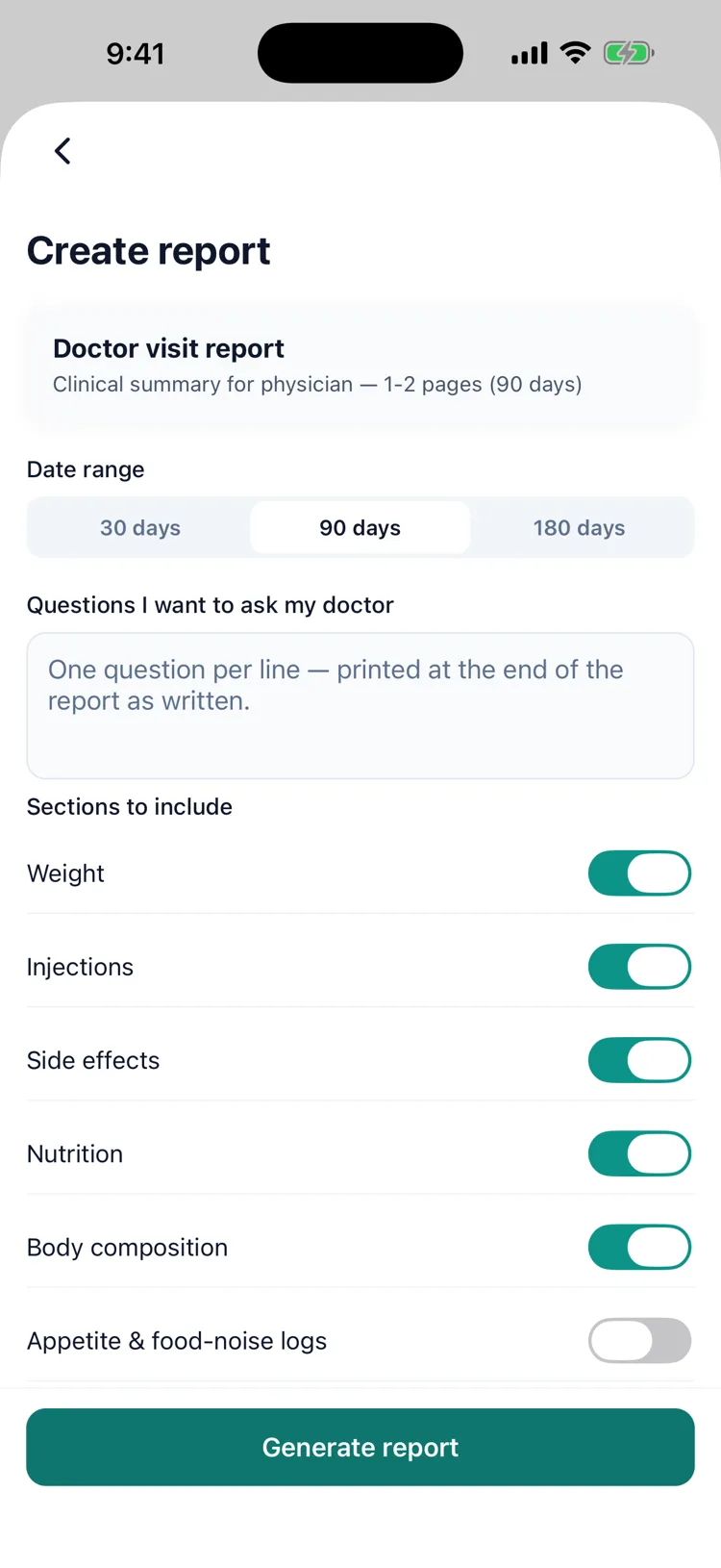
Export a PDF report with your full treatment history, weight progress, and side-effect log: perfect for your next visit.
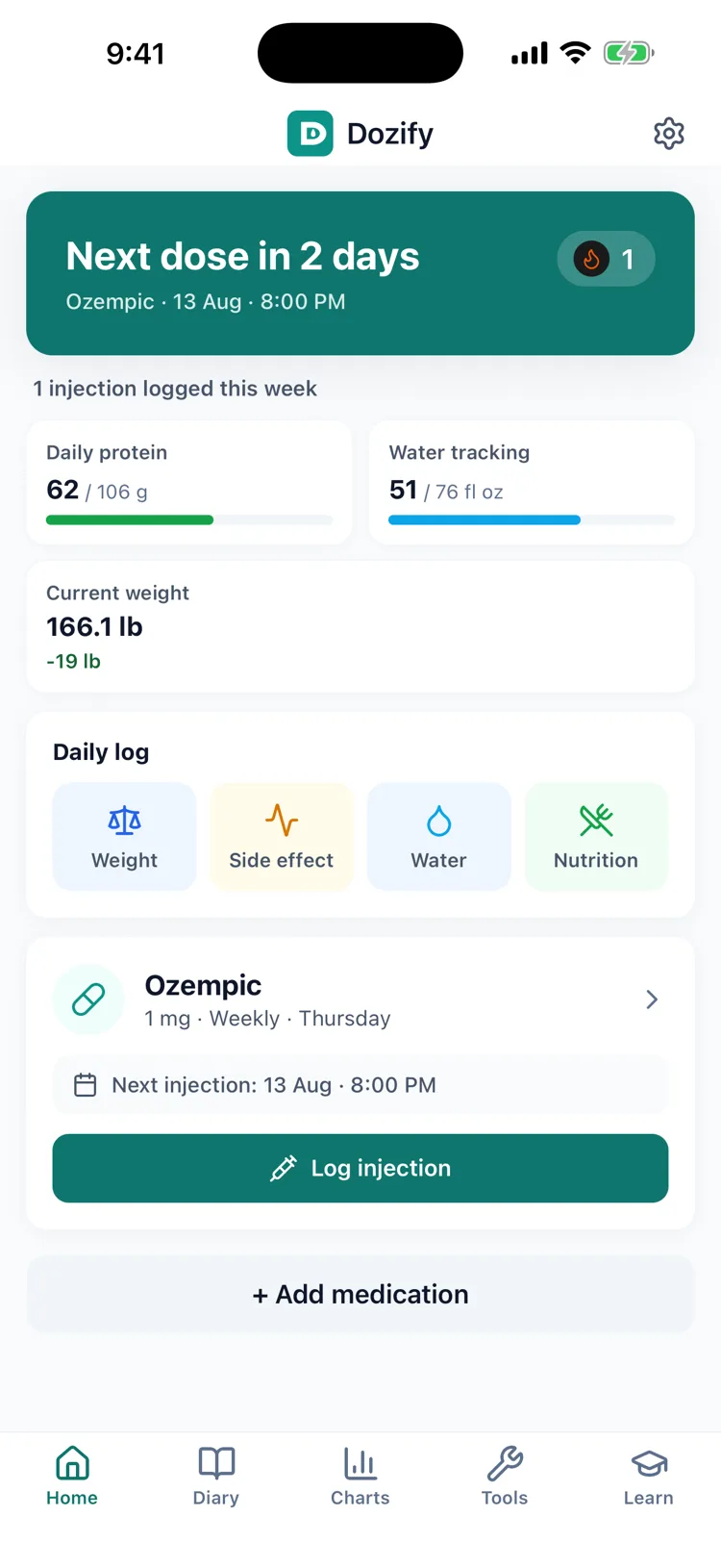
A quick look at what you'll see on your phone.
Designed for people on weekly GLP-1 medications.
Snap your meal and get calorie and protein estimates in seconds, in your language. Always shown as an editable draft — you stay in charge. First photo free, then Premium. How AI calories work
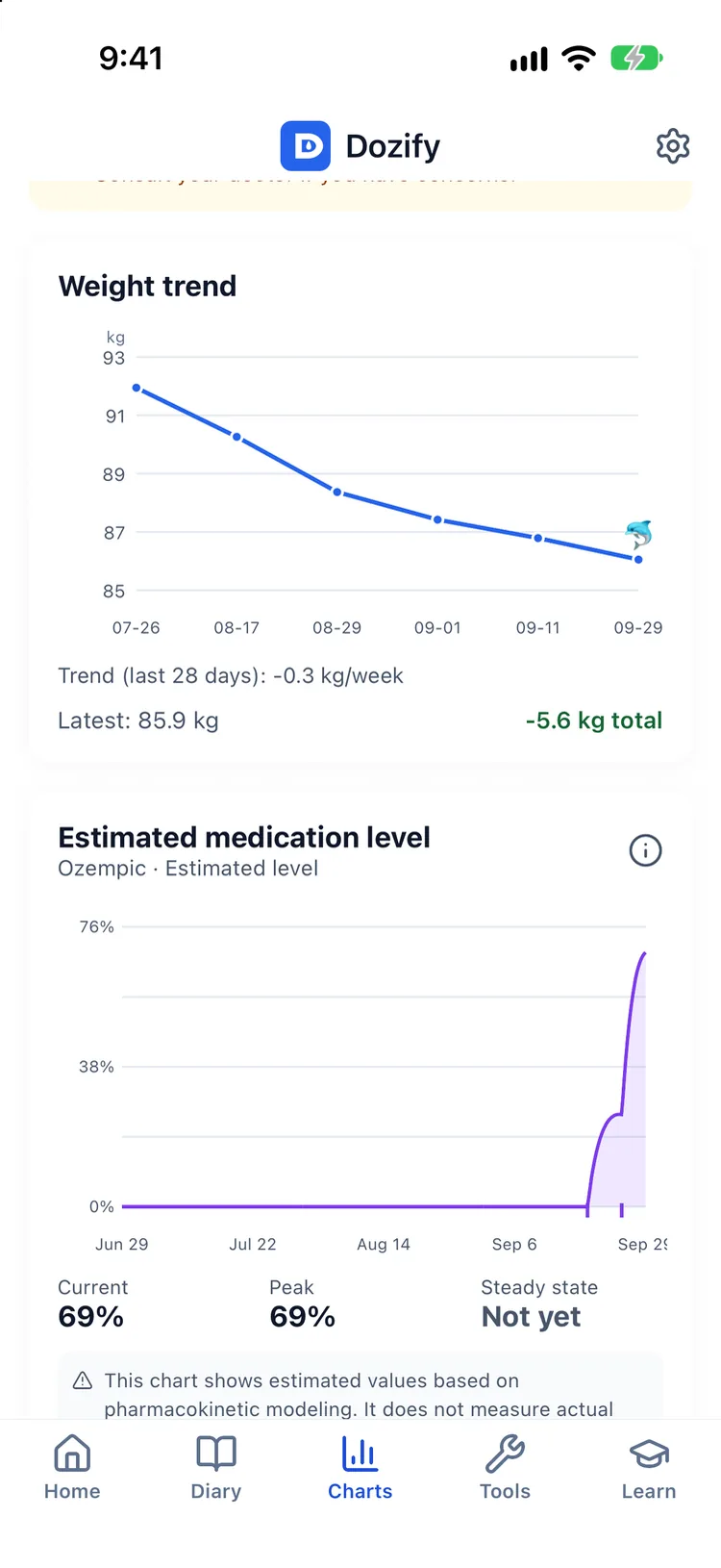
An estimated curve of how your dose builds up and fades between shots — so day-6 hunger finally makes sense. About the curve
Color, mascot and even the app icon change together. Dolphin is free; panda, owl, flamingo and bee come with Premium.
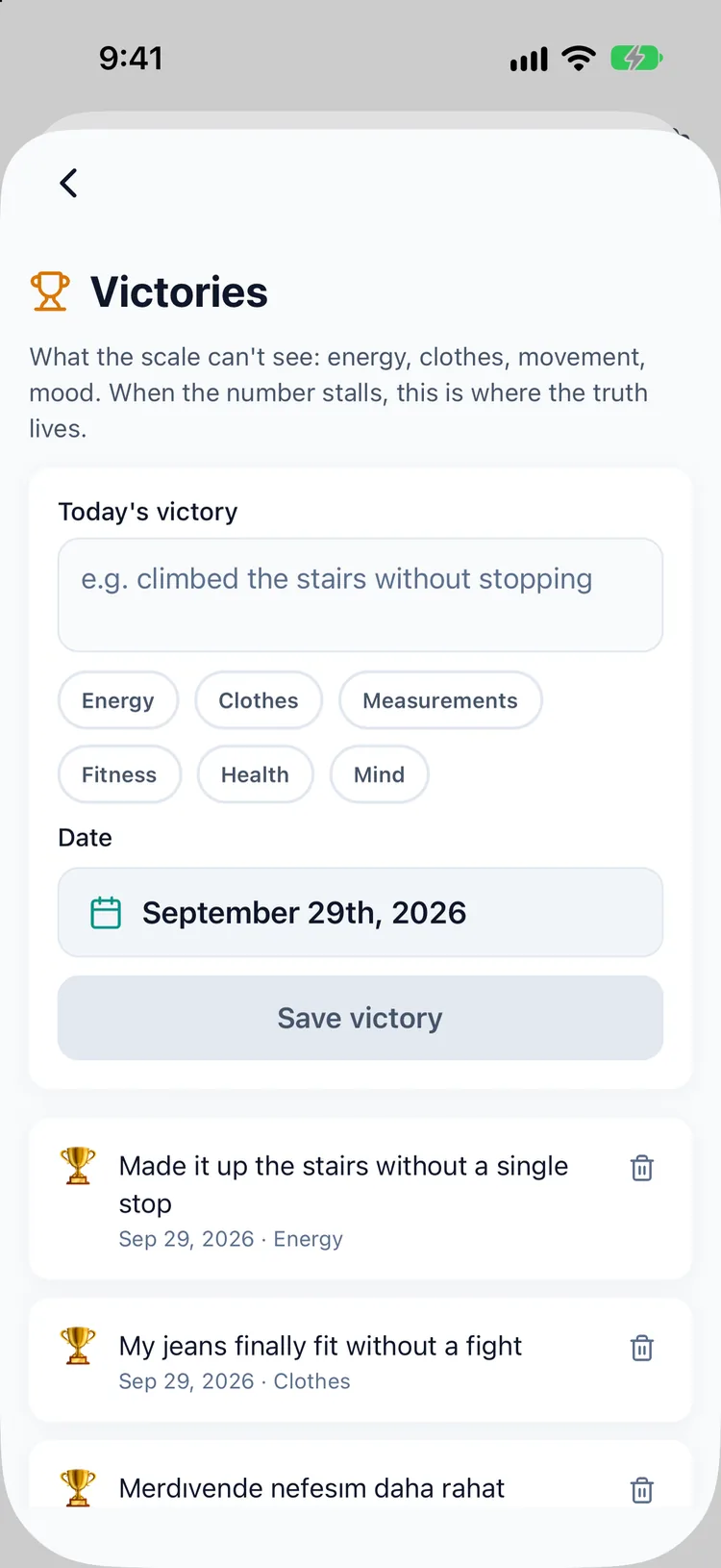
Progress the scale can't see: clothes that fit, stairs that got easier. Free, on purpose — for the plateau weeks.
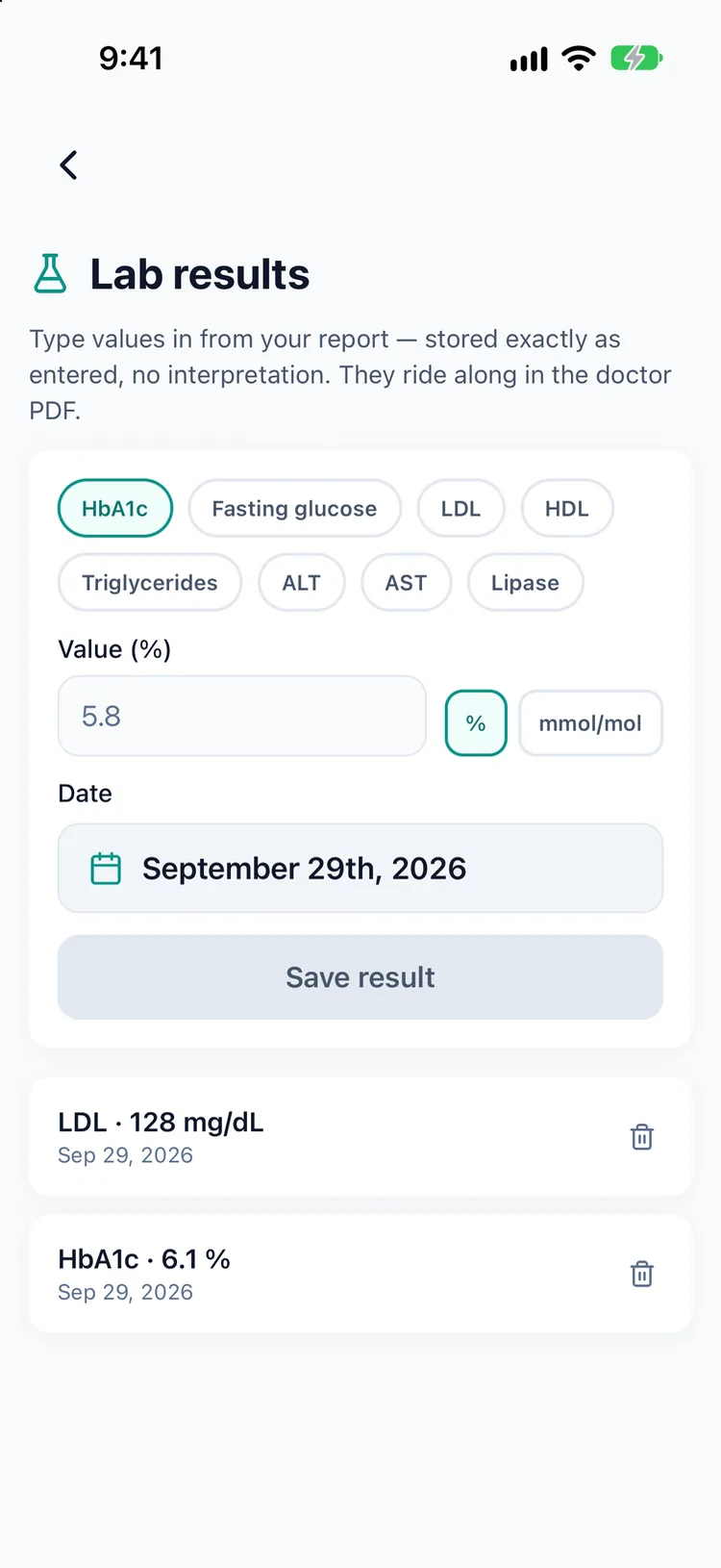
HbA1c, lipids, liver values — stored exactly as you enter them and included in the doctor PDF. No verdicts, no color grades.
See your symptoms aligned to your menstrual cycle — only if you turn it on, and the data never leaves your device.
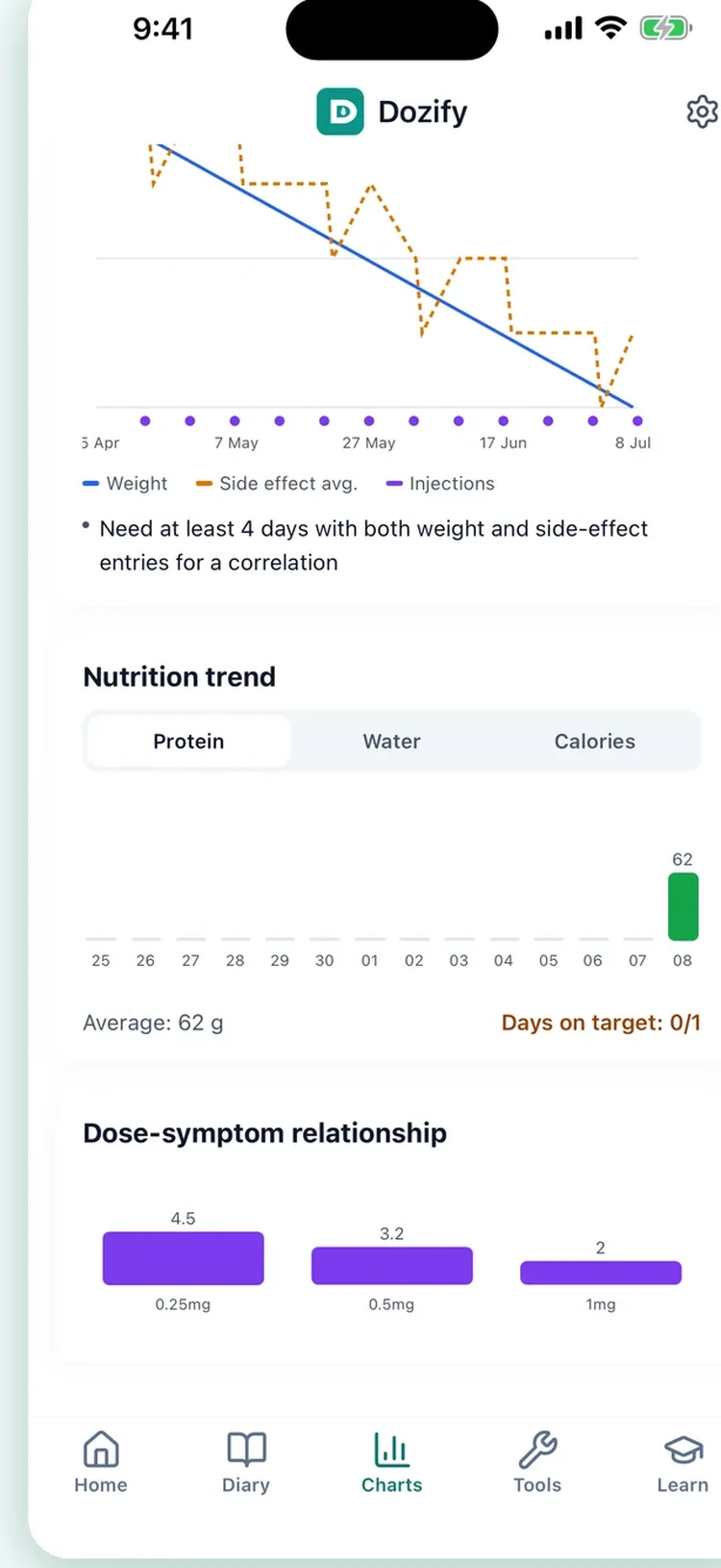
See your weight on clear charts with a time-to-goal projection based on your own data.
Weekly or daily reminders that match your medication's schedule.
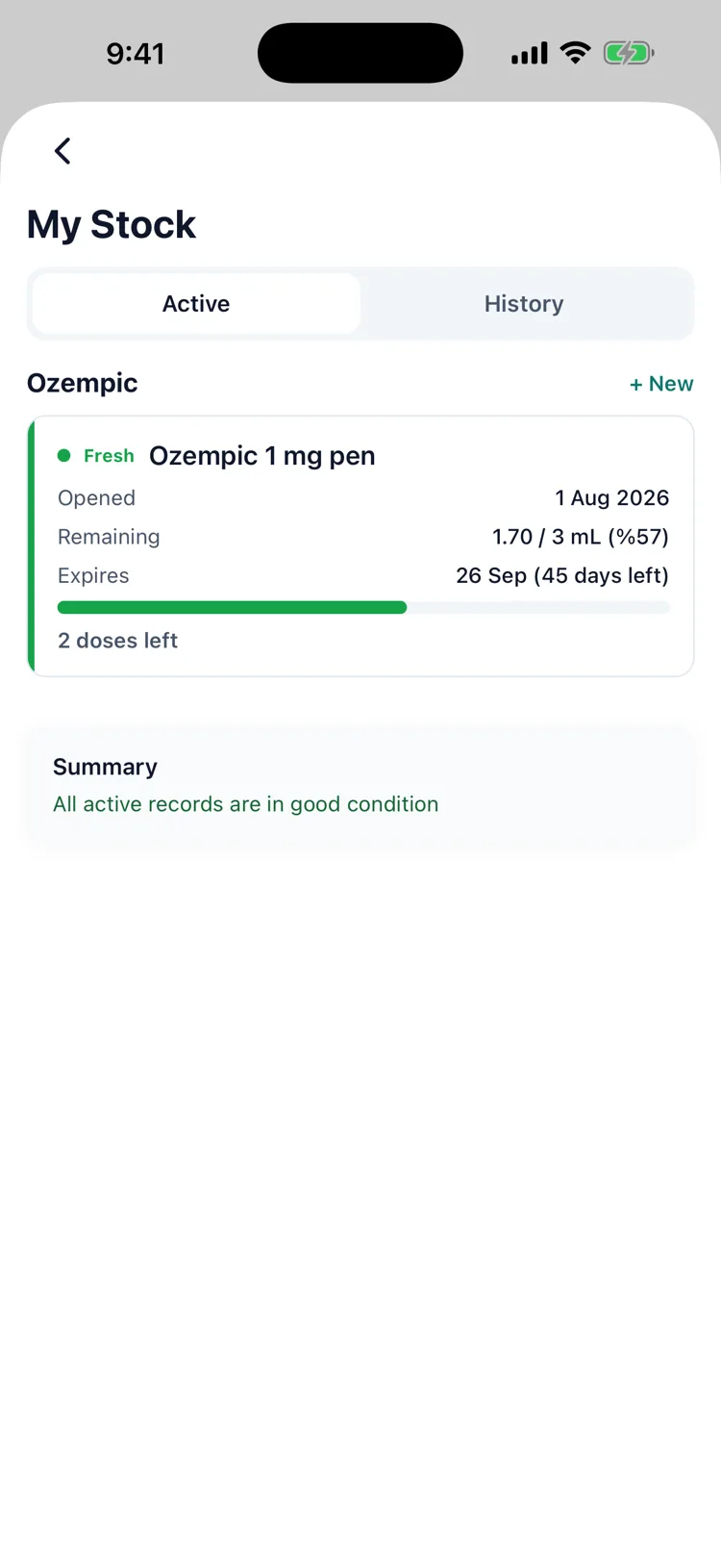
Open dates, expiry countdown, and remaining doses for every vial.
Weight trend, dose escalation, and side-effect patterns at a glance.
One-tap doctor-ready summaries with your full treatment timeline.
On iPhone, weight is read from Apple Health automatically. Writing back is optional and off by default.
Unit conversion (mg ↔ mL ↔ U-100) and vial-duration estimates, free.
Moving from another tracker? Dozify reads your exported file, shows you what it found, and writes it only once you approve: with a backup taken first.
Reorder cards, hide the ones you do not use, bring them back whenever you like. If you do not track side effects, those fields never appear.
Weekly, daily, every few days or specific dates. Save the dose schedule your clinician gave you and let the app remind you. Dozify never picks a dose itself.
Source-cited guides on dosing, side effects, and injection technique.
A body diagram tracks each site and suggests where to inject next.
Track waist, hip, body-fat and more: the progress the scale alone misses.
Daily streaks and achievement badges keep you consistent and motivated.
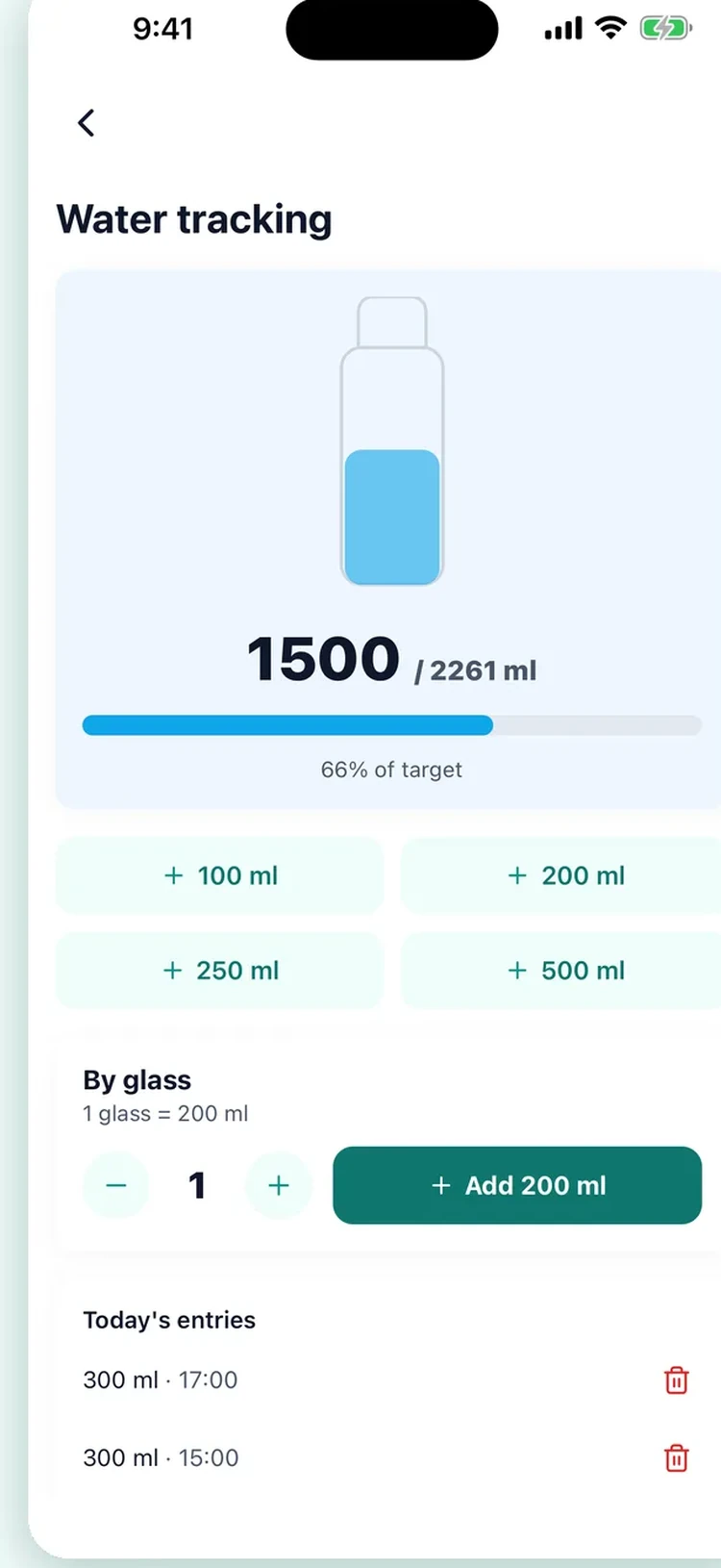
Log meals, protein and hydration right alongside your treatment.
Dozify reads exports from Shotsy, Glapp, GLPzy and GlucoPal, and any CSV with a date column. Nothing is written until you have seen what it found (how many injections, how many weights, how many notes) and a backup of your existing data is taken first. Importing costs nothing.
How switching works →
No account, no in-app ads, no profile. Your personal data (injections, weight, measurements) never leaves your device. Delete the app and your data is gone.
Read the Privacy Policy →
A visit is ten minutes and three months. Pick the date range and what goes in it (doses, weight, side effects, your own notes and the questions you meant to ask) and Dozify builds a PDF you can print or send ahead. What it contains is your record; what it means is your doctor's call.
What the report contains →Pick the one you were prescribed and Dozify sets up the schedule and dose steps for it. Anything not on the list you can add by hand.
Ozempic®, Wegovy®, Mounjaro®, Zepbound® and Trulicity®: one shot a week, and one reminder a week to match.
Saxenda® and Victoza® — a daily schedule, at the hour you actually inject rather than a default.
Wegovy® pill, Ozempic® tablet, Rybelsus® and Foundayo™ — daily tablets, tracked with the same history and the same report. How pill tracking works
Add a medication by name with your own dose and interval. Dozify records the plan you and your doctor agreed on; it never proposes one.
Written for people already on a GLP-1, each one citing where the information came from: the manufacturer instructions, the FDA, MedlinePlus. None of it replaces what your own clinician tells you.
The hormone your gut releases after eating, what the medications copy, and why appetite changes.
Preparing the pen, choosing a site, the injection itself, and what to do with the needle afterwards.
Abdomen, thigh and upper arm are the approved sites. Which to choose and why the spot must move.
Nausea, constipation and fatigue: what tends to help, and the signs that need a doctor now.
No patch is approved by the FDA or EMA. What is sold under that name, and what the evidence says.
Five days for one product, two for another of the same medicine. What each leaflet says, quoted.
Fridge, counter, and the day count, which depends on the device, not only the medicine.
The full library, with the reference list at the bottom of every page.
Yes. Dose logging, dose reminders, injection-site rotation, weight, water and side-effect logging, your whole history and photos, the education articles and your first AI meal-photo analysis are free — dose tracking stays free forever, not for a trial window. Premium is the understanding layer: the estimated medication-level curve, advanced charts and trends, weight projection, body composition, nutrition tracking and AI photo calories after the first one, vial management, doctor PDF reports, themes, and a second active medication. Subscription and cancellation details are on the support page.
Your health records (doses, weight, side effects, progress photos) are stored on your device and never uploaded. The one exception is a meal photo you choose to analyse with AI calories: it is sent, after you agree, through our server to Google Gemini and is not stored by the app. There is no account and no cloud sync, and the app shows no advertising. Anonymous usage statistics are collected so the app can be improved, and they never carry a medication name or a symptom. Dozify also measures whether an install came from one of its own App Store or Meta campaigns; that measurement runs behind Apple's tracking permission and never includes your health records. Delete the app and your records are gone.
Dozify helps you track popular GLP-1 medications, including Ozempic®, Wegovy®, Mounjaro®, Zepbound®, Saxenda®, Trulicity®, and Victoza®, plus daily tablets: the Wegovy® pill, Ozempic® tablet, Rybelsus® and Foundayo™. These brand names are trademarks of their respective owners, and Dozify is not affiliated with these companies.
Yes. Dozify is offline-first and works fully without an internet connection. You never need to sign in or sync to use it.
Yes. You can set a weekly or daily reminder that matches your medication's schedule, so it is easier to stay consistent with your routine.
No. Dozify is an educational tracking tool, not a medical device, and it does not provide medical advice. Always follow your doctor and your prescription — what the app refuses to do is written out in full.
Yes. You can record your weight, body measurements, and a side-effect diary, and see your trend on clear charts: including a weight projection and a time-to-goal estimate based on your own data.
Yes, and it is free. Export from the app you are leaving, open Settings → Import in Dozify and pick the file. It reads Shotsy, Glapp, GLPzy and GlucoPal exports and any CSV with a date column, shows you what it found (how many injections, weights and notes) before writing anything, skips records you already have, and backs up your existing data first. More on the switching page.
Not yet. Dozify is iPhone only for now, on the App Store.