An AI calorie and protein counter for life on a GLP-1
Smaller plates, a different question
On a GLP-1 medicine a lot of people find they simply eat less. When the portions shrink, the question shifts from how much is on the plate to what is on it, and protein is the number that comes up again and again in conversations about treatment. Weighing and typing in every meal is the kind of habit that lasts about a week. Taking a photo takes a few seconds, which is the whole reason this feature exists.
How it works
Snap or pick a photo
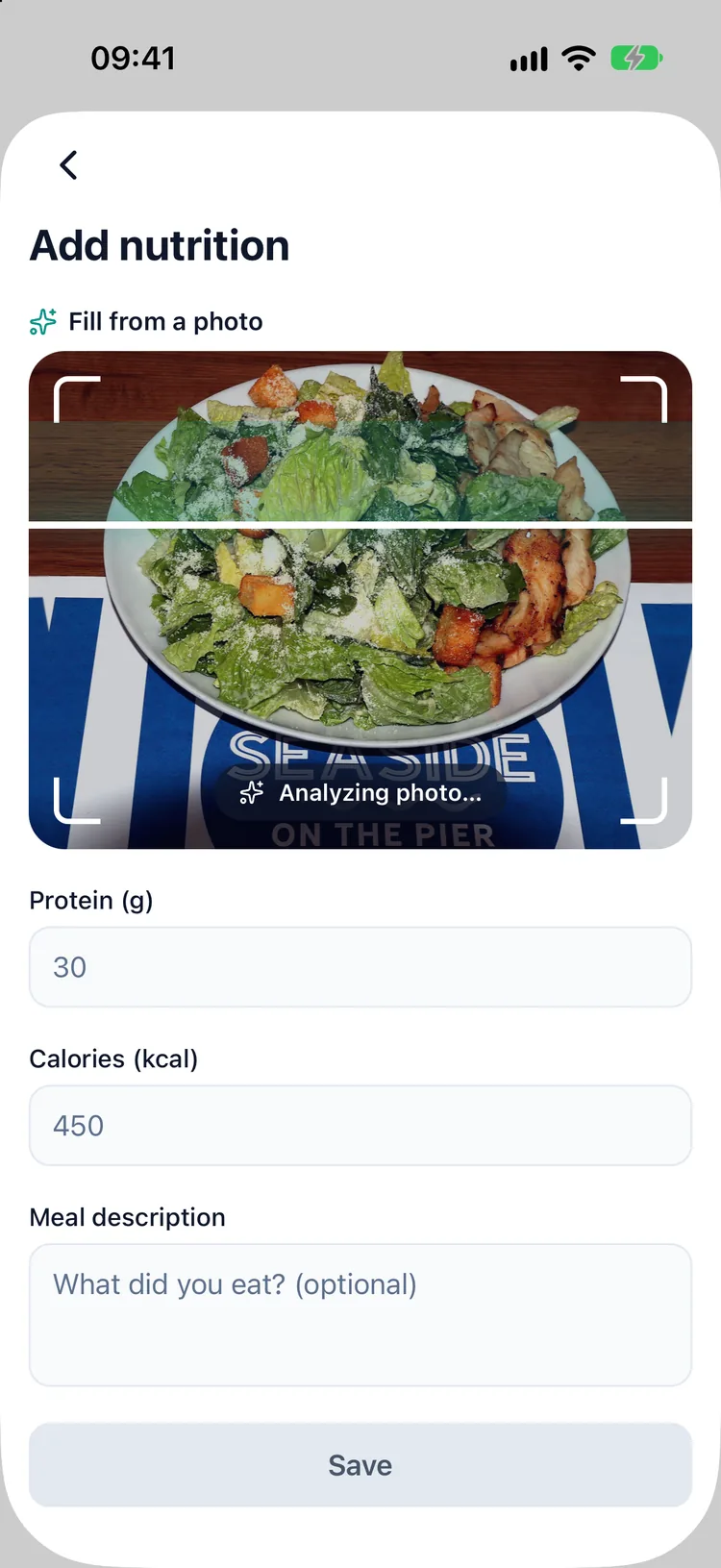
Take a picture of the plate or choose one from your photo library. The first time, Dozify explains where the photo goes and asks for your consent before anything is sent.
Calories and protein, item by item
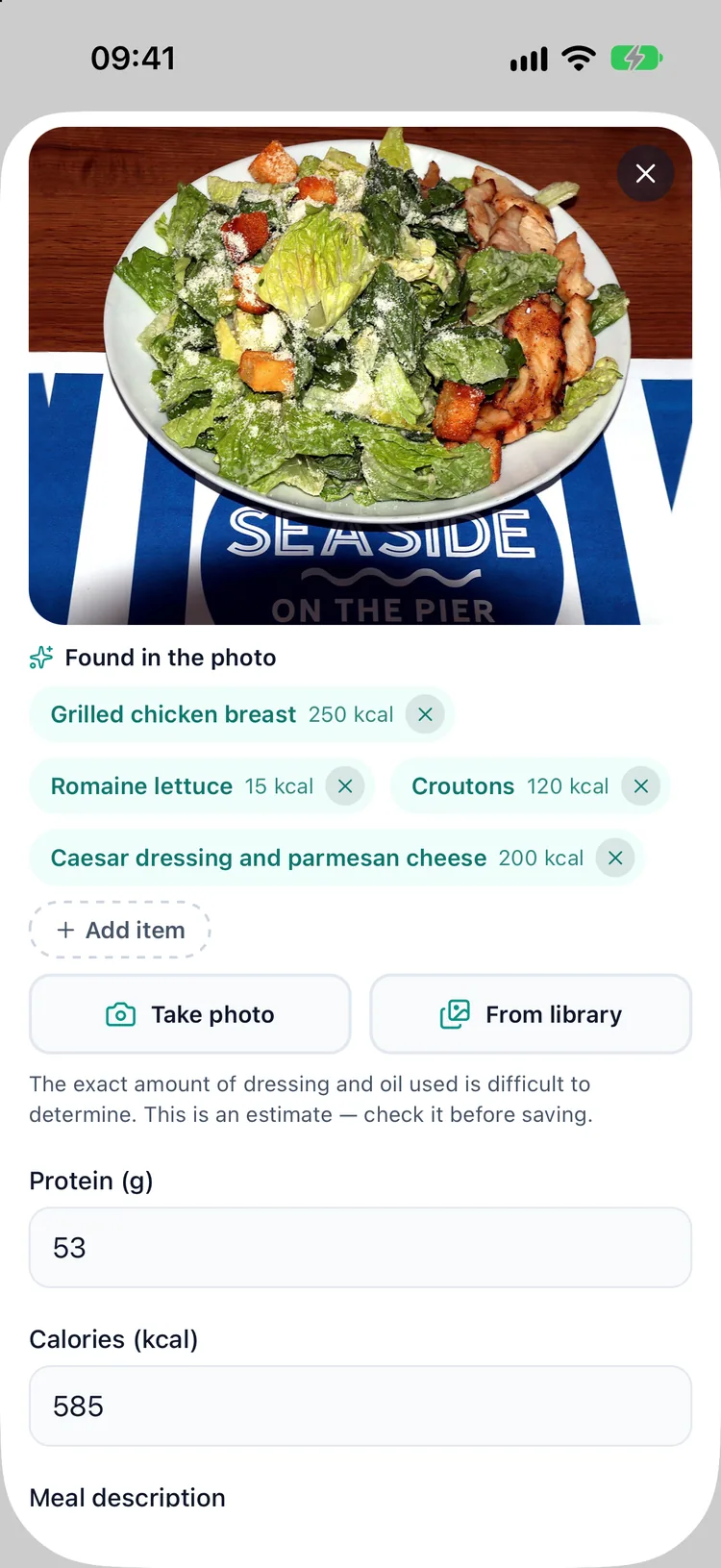
The AI lists what it sees on the plate, each item with an estimated calorie and protein figure, written in the language your app is set to. Dozify is available in 22 languages.
A draft, never a verdict
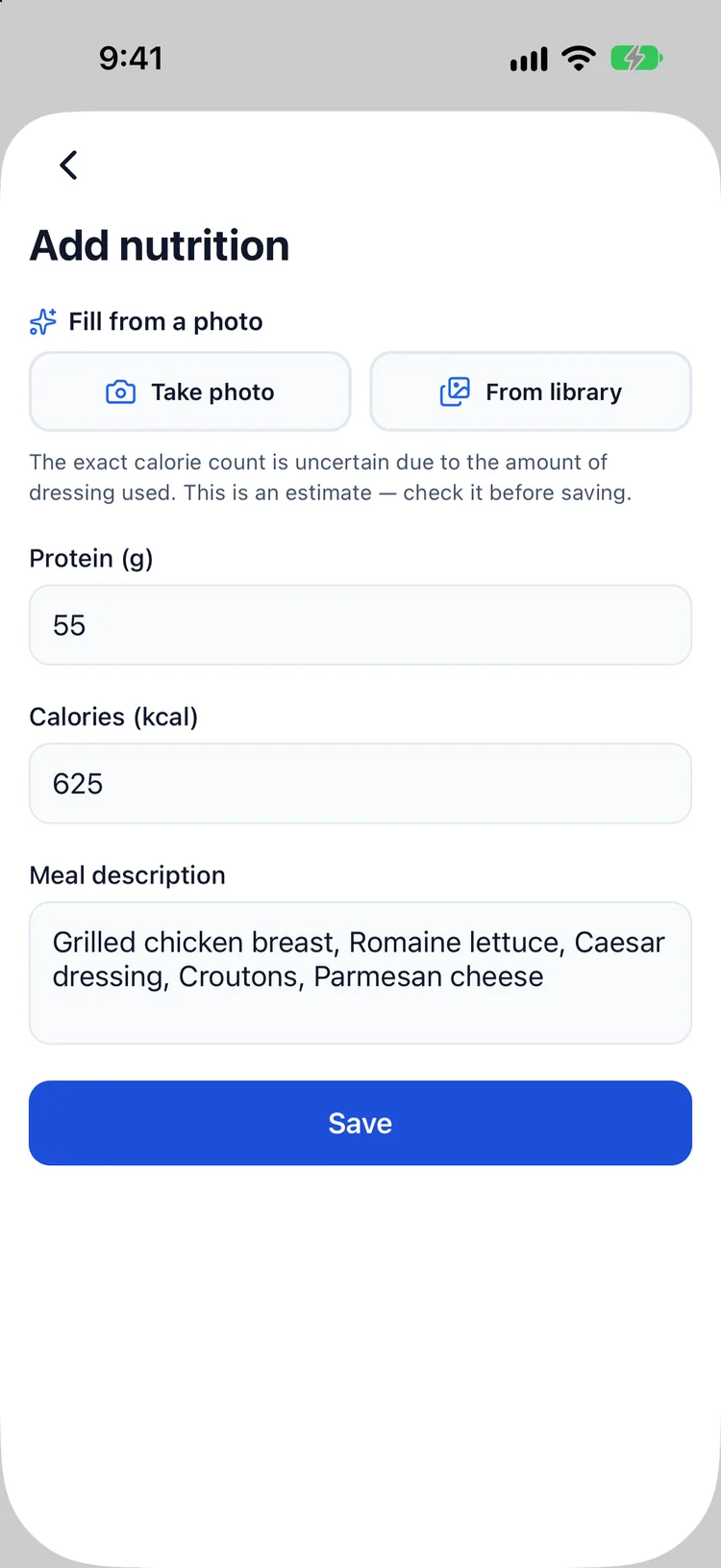
Every result arrives as an editable draft with the same line on it: "This is an estimate — check it before saving." Change a portion, add the sauce it missed, remove the thing that was never there. Nothing goes into your log until you tap save.
Next to your treatment, not in another app
Saved meals land in the same food and water log as the rest of your day, with a running protein total, inside the app that already holds your doses and your weight. One place to look instead of three.
What the app says about protein
Dozify's nutrition guide, inside the app, quotes a range of 1.2 to 1.6 g of protein per kg of body weight, and is plain about where that range comes from: nutrition guidance for weight loss, not the medicine's label. If you have kidney disease, your protein target is your doctor's to set and may be lower. The guide also suggests spreading protein across three or four meals rather than loading one, and names resistance exercise two or three times a week as the habit that consistently protects lean mass. Dozify does not prescribe a diet; the numbers that apply to you come from your clinician or dietitian.
Where it stops
It is an estimate made from a picture. A photo cannot see the oil in the pan, the sugar in the dressing or what is hiding under the rice, and portion size is the hardest thing to judge from above. Treat the figures as a starting point you correct, not a measurement. The analysis needs an internet connection, there is a daily limit per user, and the feature is part of Premium. You can always enter a meal by hand instead.
Where the photo goes
Unlike the rest of your records, this feature sends something off your phone, so it is worth being exact. The photo you pick travels over an encrypted connection, through Dozify's own server, to Google Gemini, and the estimate comes back to your phone. Dozify does not store the photo. Your doses, weight, symptoms and other health records stay on the device as they always do, and if you never use the feature, no photo leaves the phone. The full detail is in section 5 of the privacy policy, and the wider picture is on the private tracker page.
Questions
How accurate is the calorie count from a photo?
It is an estimate, and the app labels it as one. Portion size, cooking fat and hidden ingredients are hard to read from a picture. That is why the result is a draft you edit before saving rather than a number written straight into your log.
Is the AI meal photo free?
Your first photo analysis is free. After that it is part of Premium — start the 14-day free trial — together with the estimated medication-level curve and the doctor report. Dose logging and reminders are free permanently.
Does Dozify keep my food photos?
No. The photo is sent through Dozify's server to Google Gemini for the analysis and is not stored by the app. You are asked for your consent before the first use.
Which language does it answer in?
The one your app is set to. Dozify is available in 22 languages, and the items come back named in that language, so the dish on your plate is called what you would call it.
Does it work offline?
The photo analysis needs an internet connection. The rest of Dozify, including dose logging and reminders, works offline.
Will it tell me how much I should eat?
No. It records what you ate. Calorie and protein targets are for you and your clinician to agree; the in-app guide explains where common protein ranges come from and when they do not apply.
Read next
Guides, with their sources named: what GLP-1 actually is, water on a GLP-1 and when the tape moves and the scale does not.
Elsewhere in Dozify: the weight tracker, the estimated medication-level curve, the GLP-1 pill tracker and the side-effect journal.